

By Zakir, Aug 31, 2026
← Previous | SEO Series | Next →
Web-Level SEO: Part 3 of 5
Step 3: Technical Audit and Fixes
Introduction
A beautiful website only works if search engines can actually read it. In this audit, we are going to look under the hood of your website to see how it operates behind the scenes, identifying and fixing the technical roadblocks that may prevent your business from performing well in search.
Technical SEO is the part of SEO that checks whether a website is technically healthy enough for search
engines and visitors to access, understand, and use it. Technical problems can prevent important pages from being crawled, indexed, or experienced properly. This is why technical SEO matters before we expect our on-page optimization and content strategy to perform at their full potential.
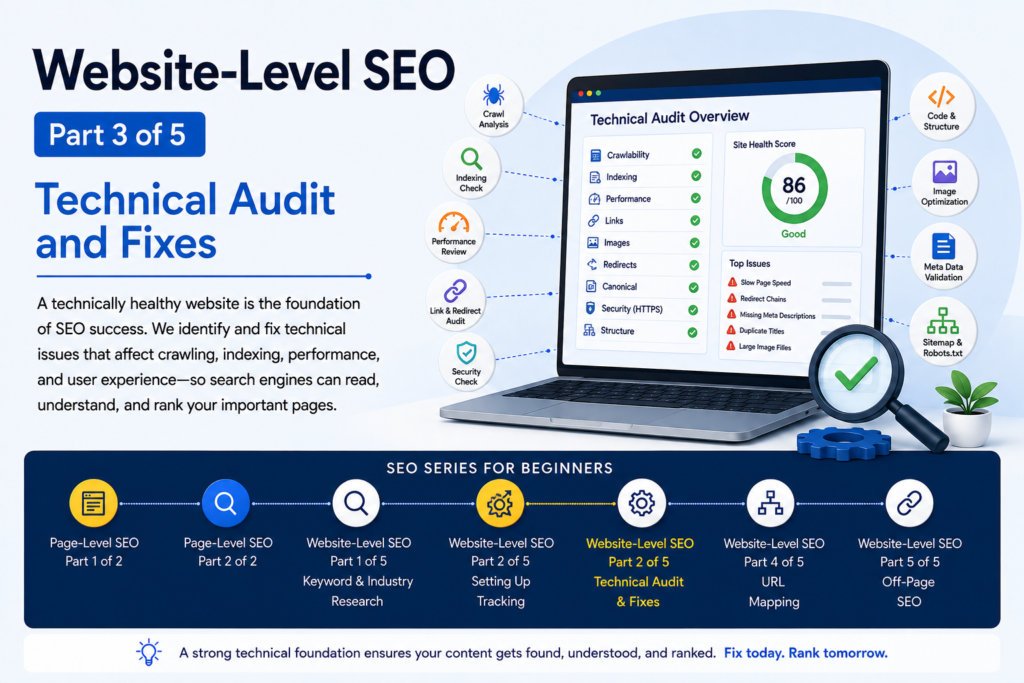
What is a technical audit?
A technical audit is a systematic examination of a website to discover technical problems that may affect its crawling, indexing, accessibility, performance, structure, and overall search experience.
Here are some of the areas an SEO professional may inspect:
- Missing Heading Tags — Check whether important pages have an appropriate heading structure, including H1, H2, and other relevant headings.
- Page Speed — Identify pages that load slowly and investigate factors that may be affecting performance and user experience.
- Redirects — Check whether redirected URLs lead visitors and search engines to the correct destination and whether unnecessary redirect chains exist.
- Error Codes — Identify HTTP errors such as 4xx and 5xx responses so the appropriate problems can be investigated and fixed.
- Canonical Tags — Check whether canonical URLs are correctly implemented so search engines can understand which version of a page should be treated as the preferred one.
- Pagination — Examine multi-page sections such as blog archives or product listings to make sure their pages are accessible and logically connected.
- Crawling Blocks — Identify URLs that crawlers cannot access and investigate whether robots.txt, server restrictions, or other technical settings are responsible.
- Image Optimization — Check for broken images, missing or inappropriate alt text, and unnecessarily large image files that may affect performance or accessibility.
- Status Codes — Examine the responses returned by URLs to distinguish successful pages from redirects, client-side errors, and server-side errors.
- Title Tag Length — Review title tags for clarity, relevance, and appropriate length so they can communicate the page’s topic effectively in search results.
- Meta Descriptions — Check whether important pages have useful and relevant meta descriptions that accurately summarize their content.
- Indexing — Check whether important pages are eligible for and appearing in Google’s index, and investigate pages that should be indexed but are not.
- Page Accessibility — Make sure important pages can be reached by users and search-engine crawlers without unnecessary technical barriers.
- Site Structure — Examine how pages are organized and connected so both users and search engines can understand the website’s hierarchy.
- Links — Look for broken, problematic, or poorly implemented internal and external links that may affect usability or crawling.
- Images — Review images for technical problems such as broken files, inappropriate formats, missing alt text, or unnecessarily large file sizes.
- Redirects — Review redirects again when necessary, particularly where multiple redirects or incorrect destinations may create problems.
- Canonical URLs — Verify that canonical URLs point to the intended preferred versions of pages and are consistent with the site’s structure.
- Other Technical Elements — Depending on the website, the audit may also include additional technical areas that could affect crawling, indexing, performance, security, structured data, or accessibility.
The purpose of the audit is not simply to collect errors. The real purpose is to identify problems, understand their potential impact, prioritize them, and fix the issues that matter.
Technical SEO is not a one-time job. A website keeps changing. New pages are published, old pages are modified, links change, and new technical problems can appear. That’s why technical monitoring may need to continue after the initial audit.
Depending on the size and complexity of the website, an audit can take considerable time, and larger projects may require ongoing monitoring and reporting.
A professional SEO may provide regular reports to the client showing important findings, completed fixes, remaining issues, and recommended next actions.
And then:
Google Search Console can also be used to monitor indexing and search-related issues. When appropriate, you can use its URL Inspection tools to request indexing for updated or newly published pages.
In Google Search Console, the relevant action is “Request indexing.”
Article 1: Find the opportunities.
Article 2: Establish the baseline.
Article 3: Look under the hood.
Then Article 4 can take those findings into URL Mapping.